Explore your students’ creativity & problem-solving skills in a 21st-century design environment!
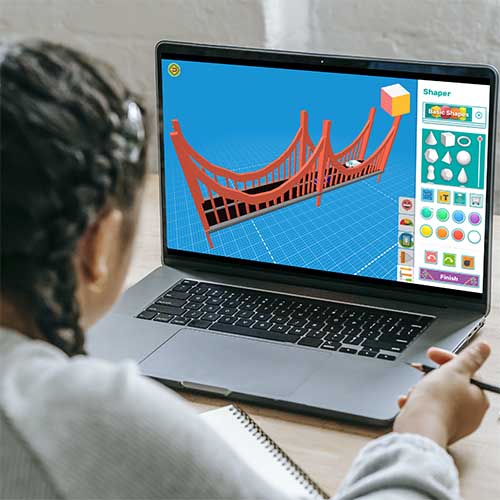
3D printing and design thinking challenges your students to develop skills in problem-solving and critical reasoning. We’ve partnered with Makers Empire, creators of the world’s easiest-to-use 3D design and printing software, specifically designed for primary and middle school students.
These school incursion workshops are fully aligned to the Australian Curriculum: Technologies and focus on developing students’ collaborative and spatial skills while creating awareness of future technologies in a fun environment.
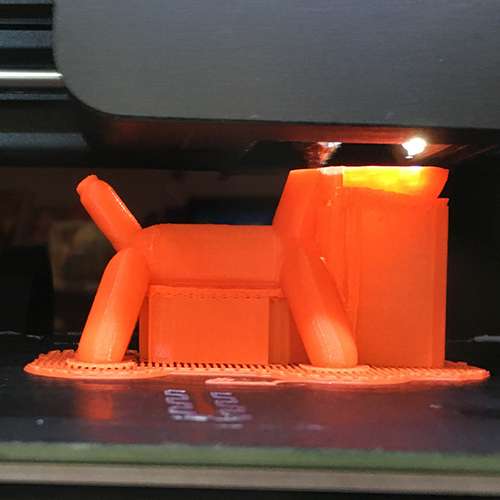
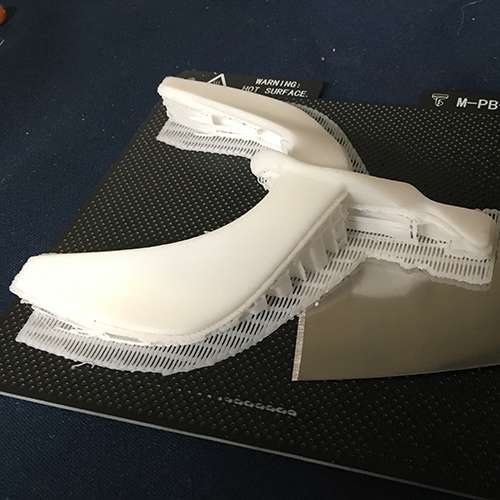
Throughout the workshop your students will see a 3D printer in action and learn how to create strong 3D structures using polymer printing. Your students will spend time learning to create awesome creations!
 |
Engaging for students!
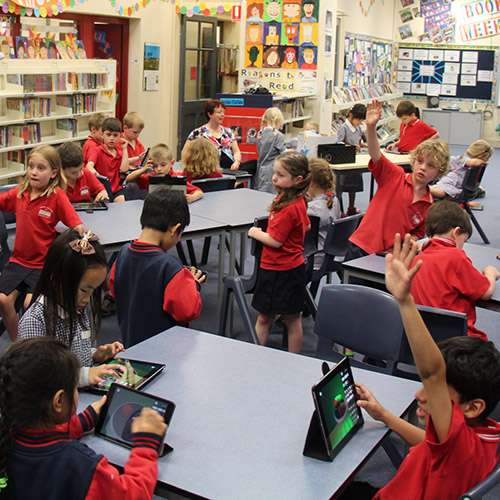
Packages are available to suit students in years K – 6 where over a 90-minute design lesson students:
The 3D design session can take place in any classroom or venue where students have access to an internet-connected computer or device. A minimum of one device between every two students is preferable.
Options
You already have a 3D printer onsite
- Great! We will come to your school and run the workshop and then you can print your designs yourself afterwards.
You don’t have a 3D printer
- No worries, Makers Empire has an option to loan you a printer (and filament) for 6 weeks + training session with either the Makers Empire team at another date or we can show you while we are at your school on the day
 Rated Excellent on Trustpilot – read our reviews
Australian Curriculum Mapping
Australian ACARA Content Outcomes:
Digital Technologies
| Code | What students learn |
|---|---|
| K to 2 | |
| ACTDIK001 | Recognise and explore digital systems (hardware and software components) for a purpose |
| ACTDIK002 | Recognise and explore patterns in data and represent data as pictures, symbols and diagrams |
| ACTDIP004 | Follow, describe and represent a sequence of steps and decisions (algorithms) needed to solve simple problems |
| ACTDIP006 | Create and organise ideas and information using information systems independently and with others, and share these with known people in safe online environments |
| Years 3 to 4 | |
| ACTDIK007 | Identify and explore a range of digital systems with peripheral devices for different purposes, and transmit different types of data |
| ACTDIP009 | Collect, access and present different types of data using simple software to create information and solve problems |
| ACTDIP010 | Define simple problems, and describe and follow a sequence of steps and decisions (algorithms) needed to solve them |
| ACTDIP011 | Implement simple digital solutions as visual programs with algorithms involving branching (decisions) and user input |
| ACTDIP013 | Plan, create and communicate ideas and information independently and with others, applying agreed ethical and social protocols |
| Years 5 to 6 | |
| ACTDIP016 | Acquire, store and validate different types of data, and use a range of software to interpret and visualise data to create information |
| ACTDIP019 | Design, modify and follow simple algorithms involving sequences of steps, branching, and iteration (repetition) |
| ACTDIP020 | Implement digital solutions as simple visual programs involving branching, iteration (repetition), and user input |
| ACTDIP021 | Explain how student solutions and existing information systems are sustainable and meet current and future local community needs |
| ACTDIP022 | Plan, create and communicate ideas and information, including collaboratively online, applying agreed ethical, social and technical protocols |
Australian Curriculum Outcomes (ACARA)
Science
| Code | What students learn |
|---|---|
| ACSIS066 | Safely use appropriate materials, tools or equipment to make and record observations, using formal measurements and digital technologies as appropriate |
| ACSHE083 | Scientific understandings, discoveries and inventions are used to solve problems that directly affect peoples’ lives |
NSW K-10 Science Syllabus Mapping
NSW K – 10 Science Syllabus mapping for all our incursions
NSW Science & Technology Syllabus Content
A student:
| Code | What students learn |
|---|---|
| STe-7DI-T | identifies digital systems and explores how instructions are used to control digital devices |
| STe-2DP-T | develops solutions to an identified need |
| ST1-11DI-T | identifies the components of digital systems and explores how data is represented |
| ST1-2DP-T | uses materials, tools and equipment to develop solutions for a need or opportunity |
| ST2-7MW-T | investigates the suitability of natural and processed materials for a range of purposes |
| ST2-11DI-T | describes how digital systems represent and transmit data |
| ST2-2DP-T | selects and uses materials, tools and equipment to develop solutions for a need or opportunity |
| ST3-7MW-T | explains how the properties of materials determines their use for a range of purposes |
| ST3-11DI-T | explains how digital systems represent data, connect together to form networks and transmit data |
| ST3-2DP-T | plans and uses materials, tools and equipment to develop solutions for a need or opportunity |
Science and Technology K–6 Syllabus
(Implementation from 2027)
For explanatory points & implementation advice for each dot point, please visit the NESA Science and Technology K–6 Curriculum site
| Code | What students learn |
|---|---|
| STE-DDT-01 | identifies and uses technologies to make products to address user needs or opportunities |
| STE-PQU-01 | poses questions based on observations to collect data |
| ST1-DAT-01 | collects, represents and uses data to identify patterns and relationships |
| ST1-DDT-01 | uses technologies and materials to design and make products to address user needs or opportunities |
| ST2-DAT-01 | uses and interprets data to describe patterns and relationships |
| ST2-DDT-01 | uses a design process to create products to address user needs or opportunities |
| ST3-DAT-01 | interprets data to support explanations and arguments |
| ST3-DDT-01 | uses design processes to create, evaluate and modify designed solutions |
NSW K – 10 Science Syllabus mapping for all our incursions
Print a PDF which details K to 6 mapping of all our NSW science visits
VIC Science Syllabus Content
Victorian F – 10 Science Curriculum
| Code | What students learn |
|---|---|
| VCDSTS013 | Identify how people create familiar designed solutions and consider sustainability to meet personal and local community needs |
| VCDSCD018 | Explore needs or opportunities for designing, and the technologies needed to realise designed solutions |
| VCDSCD019 | Visualise, generate, and communicate design ideas through describing, drawing and modelling |
| VCDSCD022 | Sequence steps for making designed solutions |
| VCDSTS023 | Recognise the role of people in design and technologies occupations and explore factors, including sustainability, that impact on the design of solutions to meet community needs |
| VCDSCD028 | Critique needs or opportunities for designing and explore and test a variety of materials, components, tools and equipment and the techniques needed to create designed solutions |
| VCDSCD029 | Generate, develop, and communicate design ideas and decisions using appropriate technical terms and graphical representation techniques |
| VCDSCD032 | Plan a sequence of production steps when making designed solutions |
| VCDSTS033 | Investigate how people in design and technologies occupations address competing considerations, including sustainability, in the design of solutions for current and future use |
| VCDSCD038 | Critique needs or opportunities for designing, and investigate materials, components, tools, equipment and processes to achieve intended designed solutions |
| VCDSCD039 | Generate, develop, communicate and document design ideas and processes for audiences using appropriate technical terms and graphical representation techniques |
| VCDSCD042 | Develop project plans that include consideration of resources when making designed solutions |
Print a PDF which details P to 6 mapping of all our VIC science visits
Requirements
- Appropriate for Years K to 6 with a maximum of 30 students per class.
- A minimum of 1 computer or iPad per pair of students, each connected to your internet. You must test your devices with the Makers Empire software prior to the day visit.
- Access to at least 2 additional electrical power sockets plus a table for our equipment.
- Duration 90 minutes. Set up time 45 minutes and pack up time 30 minutes.
Go Further!
Complete Units of Work to Support Your Teaching
Support your classroom with 270+ syllabus-linked lessons, high-quality videos, and marking rubrics.